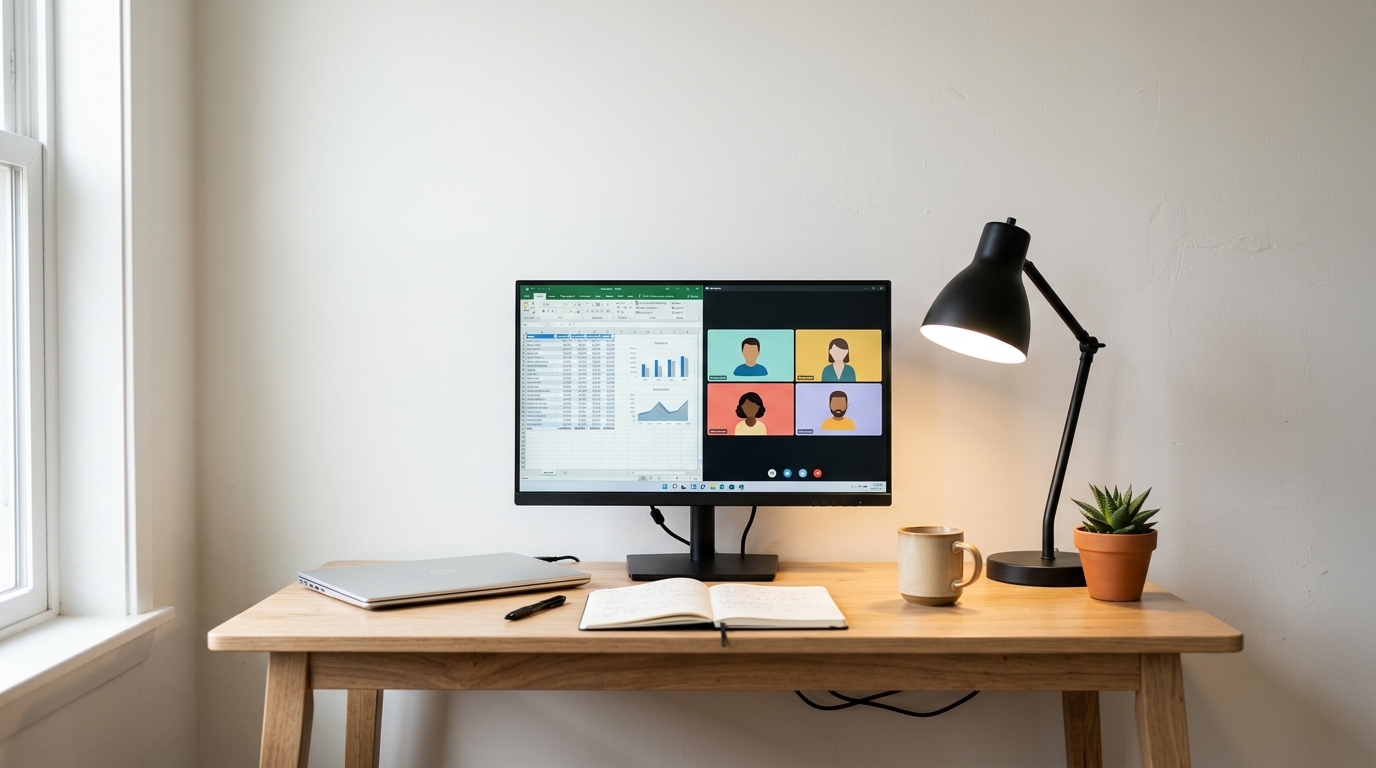
Under 150 USD you can set up a decent screen for working from home, as long as you know what to demand and what to rule out. This guide explains what a cheap monitor can offer (Full HD, VA or IPS panels depending on the model, HDMI, even 100-120 Hz), what tends to be limited (maximum brightness, tilt-only stands, no DisplayPort or USB-C, poor or missing speakers, token HDR, and variable quality control between units), and compares three verified models: a 24" value pick for basic office work and two 27" screens for larger surfaces. A low price does not automatically mean a bad experience, but it does require checking every spec.
What to look for in a cheap monitor
Size and resolution: 24 vs 27-inch Full HD
Text sharpness depends on pixel density (PPI), not just size. Verified math: a 24" Full HD (1920 × 1080) gives √(1920² + 1080²) ≈ 2203 diagonal pixels / 23.8" ≈ 92 PPI (Philips declares 92.56 PPI); a 27" Full HD gives ≈ 82 PPI. The 24" usually gives more comfortable text at normal desk distance (60-80 cm); the 27" adds visual surface at the cost of lower density. Perception also depends on distance, OS scaling, and your eyesight: 27" Full HD is not automatically unusable, nor is 24" the only right choice. Note: physical size is not real workspace, which resolution defines.
IPS vs VA panels
IPS usually offers wide viewing angles and consistent color, useful for office and visual tasks, although depending on the model it can show modest contrast and backlight bleed. VA can give higher contrast (4000:1 declared on the Philips vs 1000:1 typical of this guide's IPS models) and deeper blacks in some scenarios, with possible limits in viewing angles or dark transitions depending on implementation. Panel type alone does not define overall quality: backlight, quality control, and calibration matter too. Two models in this guide are verified IPS and one is verified VA.
Declared brightness and contrast
Keep three things apart: manufacturer-declared brightness (nits), measured brightness from independent testing (nonexistent here), and buyer perception. The advertised figure does not guarantee real performance. Judge brightness by your room (daylight, window position, day or night use) and remember no single figure prevents eye strain on its own.
Connectivity: HDMI, DisplayPort, VGA, and audio
Check port by port: HDMI covers most laptops and office work; DisplayPort can help with desktop or multi-monitor setups depending on your graphics card (none of the three includes it); VGA still appears in this price range but limits refresh rate and quality. Do not assume equal ports do equal jobs. None brings USB-C: had one, video, data, and Power Delivery would each need separate verification, because USB-C is not a docking station.
Stands and ergonomics: what "adjustable" means
Assess tilt, height, swivel, portrait pivot, VESA compatibility, stability, and base footprint separately. Do not call a monitor "ergonomic" just because it tilts: proper posture also depends on eye height, distance, desk, chair, and lighting. All three models are tilt-only, say so plainly, and two of them support 100 × 100 mm VESA for an external arm.
Built-in speakers
Verify four different things: having speakers, having an audio output, having a microphone, and having enough volume for your use. None of the three models declares speakers; Philips and Acer offer a headphone output. We claim no sound quality without measurements: for daily video calls, budget for headphones or external speakers.
Comparison table (verified data, Sept. 2026)
"Not confirmed" means the figure is absent from the datasheet consulted, not that the product lacks it.
| Feature | Philips 241V8LB | Acer KB272 G0bi | LG 27U411A-B |
|---|---|---|---|
| Exact model | 241V8LB | KB272 G0bi (UM.HK2AA.005) | 27U411A-B |
| Size | 23.8" | 27" | 27" |
| Resolution | 1920 × 1080 (Full HD) | 1920 × 1080 (Full HD) | 1920 × 1080 (Full HD) |
| Approx. PPI | ~92 (92.56 declared) | ~82 | ~82 |
| Panel type | VA | IPS | IPS |
| Max refresh rate | 100 Hz | 120 Hz | 120 Hz |
| Declared brightness | 250 nits | 250 nits | 250 nits |
| Declared contrast | 4000:1 | 1000:1 | 1500:1 (typ.) |
| HDMI | 1 × HDMI 1.4 | 1 × HDMI 1.4 | 1 × HDMI |
| DisplayPort | No | No | No |
| Other ports | VGA + audio out | VGA + headphone out | D-Sub + headphone out |
| Speakers | Not declared | Not declared | Not declared |
| Stand adjustments | Tilt only (-5°~20°) | Tilt only (-5°~25°) | Tilt only (-5°~20°) |
| VESA | 100 × 100 mm | 100 × 100 mm | Not confirmed |
| Observed price | $79.99 USD | $99.99 USD | $109.99 USD |
| Rating (Amazon US) | 4.6/5 (1,965) | 4.6/5 (2,121) | Not verified at closing |
| Main strength | 100 Hz + VA contrast + 4-year warranty at ~$90 | 27" 120 Hz IPS at ~$100 | 27" 120 Hz with HDR10 and slim bezels |
| Main limitation | VA panel, single HDMI | 27" Full HD (~82 PPI), single HDMI | Unconfirmed VESA, 27" Full HD |
Individual analysis
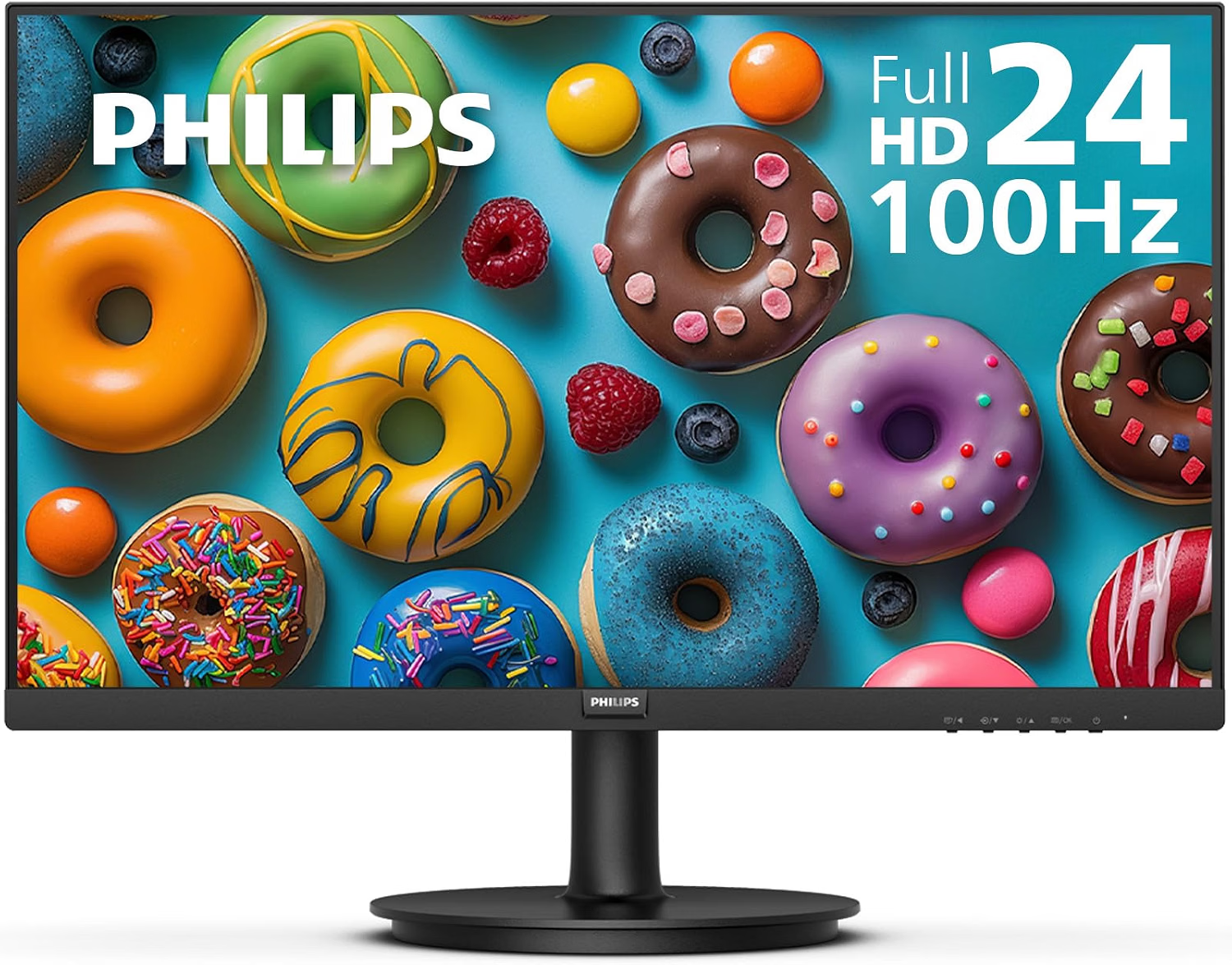
1. Philips 241V8LB, 23.8" FHD 100Hz
Verified specifications (official Philips datasheet): 23.8", 1920 × 1080, 16:9, VA panel, 100 Hz, 4 ms GtG, 250 nits, 4000:1 typical contrast, Adaptive-Sync, 1 × HDMI 1.4 + VGA, audio output, -5°~20° tilt, 100 × 100 mm VESA, matte, 4-year advanced replacement warranty.
It may fit if… you want minimum spend (~$90) with 100 Hz, strong declared contrast, and VESA mounting for basic office work (documents, browsing, video calls).
Limitations: VA panel (mind viewing angles vs IPS); single HDMI and no DisplayPort; no declared speakers; tilt-only stand.
Buyer experiences (attributed): some buyer reviews mention good value and enough brightness for office use; isolated comments appear about uniformity, with no determinable real frequency.
Not verified: real brightness and contrast, uniformity, real response, power draw, and warranty coverage outside the US.
$79.99 USD · Amazon US (Sept. 2026)
View on Amazon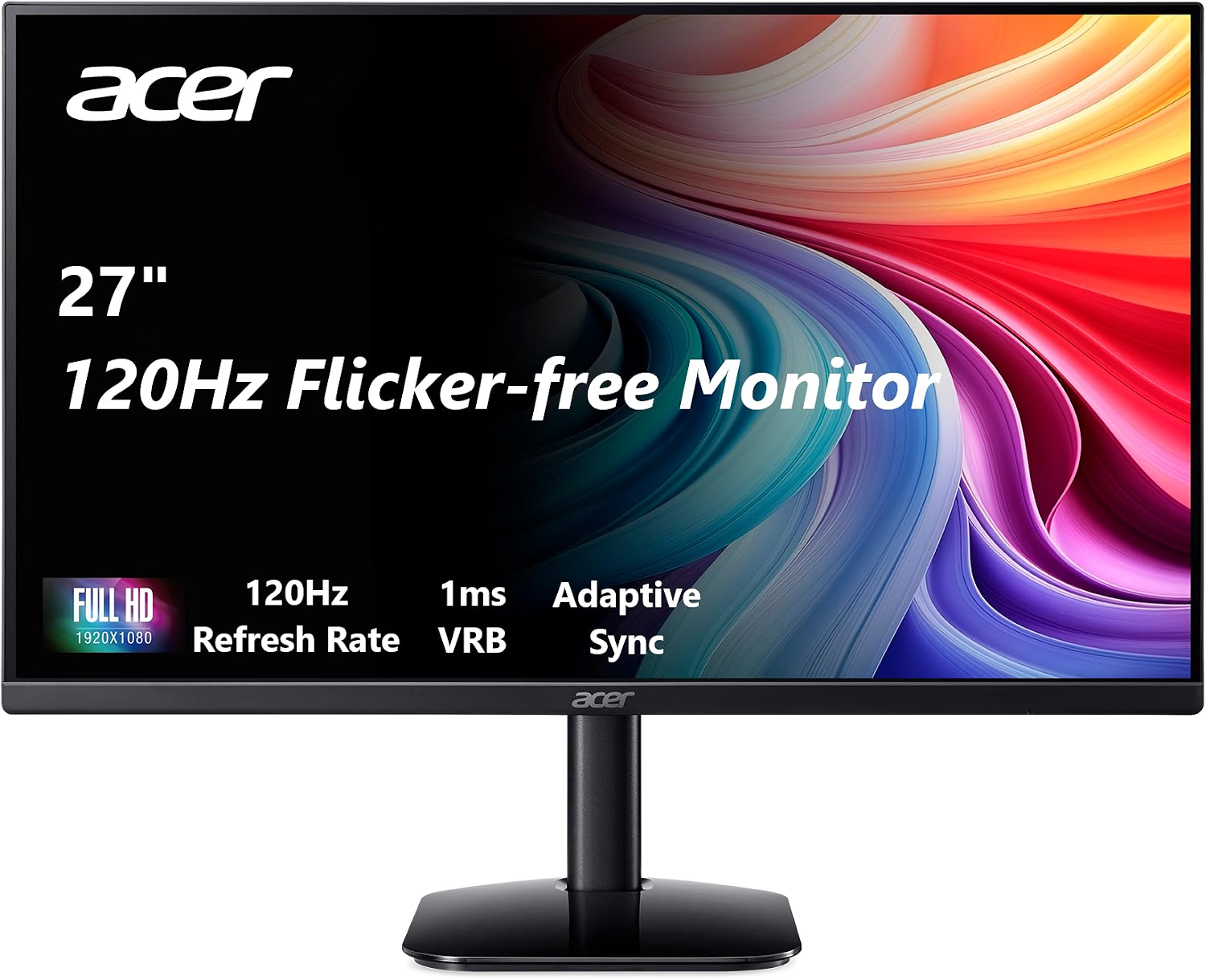
2. Acer KB272 G0bi, 27" FHD 120Hz
Verified specifications (official Acer datasheet and Amazon): 27", 1920 × 1080, 16:9, IPS, up to 120 Hz, 1 ms VRB, 250 nits, 99% sRGB, FreeSync compatible, 1 × HDMI 1.4 + VGA, headphone output, -5°~25° tilt, 100 × 100 mm VESA, matte, 3-year warranty.
It may fit if… you want this guide's largest surface (~$100) with 120 Hz for fluid work and casual gaming, accepting lower density (~82 PPI).
Limitations: not the right choice if you need very sharp text (27" Full HD); single HDMI and no DisplayPort (VRR with NVIDIA may be unavailable over HDMI); no declared speakers.
Buyer experiences (attributed): some buyer reviews mention fluidity and value for money; experiences seen include the warning that text looks less defined than on 24".
Not verified: real brightness and contrast, uniformity, real response, and VRR compatibility with your specific card.
$99.99 USD · Amazon US (Sept. 2026)
View on Amazon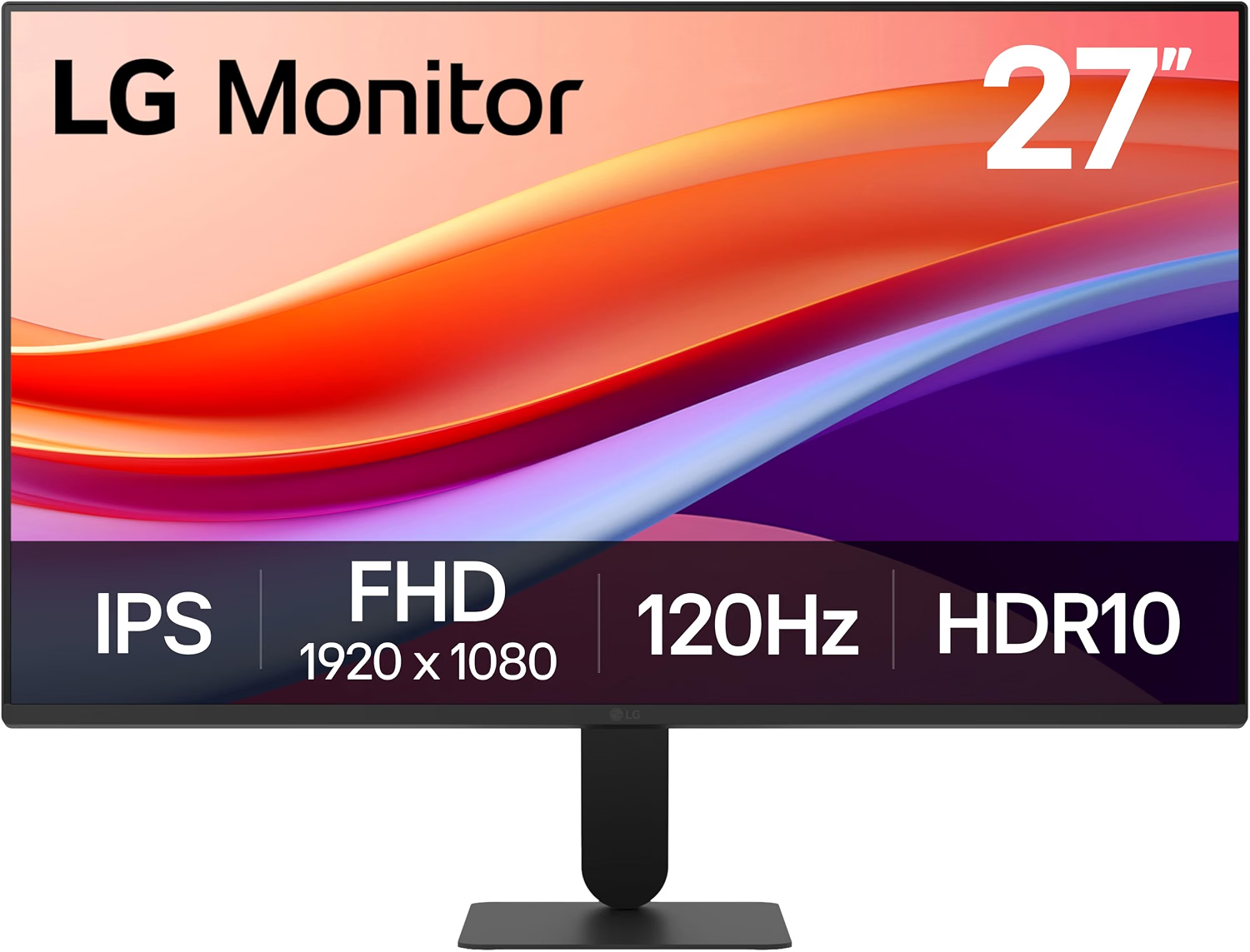
3. LG 27U411A-B, 27" FHD 120Hz
Verified specifications (official LG datasheet): 27", 1920 × 1080, 16:9, IPS, 120 Hz, 5 ms GtG / 1 ms MBR, 250 nits, 1500:1 typical contrast, 99% sRGB, HDR10, FreeSync, 1 × HDMI + D-Sub, headphone output, -5°~20° tilt, slim 3-side bezels, matte.
It may fit if… you want 27" with declared HDR10 and slim-bezel design for work and media, with 120 Hz for a fluid desktop.
Limitations: VESA mounting is unconfirmed in the datasheet consulted (verify it if you need an arm); 27" Full HD at ~82 PPI; no DisplayPort or declared speakers.
Buyer experiences (attributed): as a recent model, check experiences about uniformity and backlight bleed unit by unit.
Not verified: VESA mounting, real brightness, uniformity, real response, and HDR10 behavior.
$109.99 USD · Amazon US (Sept. 2026)
View on AmazonChoose by profile
| Profile | Priority features | What to check | Fitting type |
|---|---|---|---|
| Basic office | Readable text, HDMI, Full HD resolution | Size, PPI, brightness control | 24" Full HD (Philips 241V8LB) |
| Budget dual monitor | Slim bezels, VESA, PC connections | DisplayPort, space, unit uniformity | Two 24" (Philips, VESA + slim bezels) |
| Mixed use | Refresh rate, panel, connectivity | Gaming, video, real (not claimed) response | 120 Hz (Acer or 27" LG) |
| Small desk | Size, base, and depth | Available space and VESA | 24" (Philips, with VESA) |
| Large screen on a budget | Visual surface and viewing distance | Lower density on 27" Full HD (~82 PPI) | 27" Full HD (Acer or LG), with realistic expectations |
Cheap dual monitors: what to know
Two 24" screens can serve documents + browser + video call side by side, but the benefit depends on your workflow, not automatically. Check: visual uniformity between units (brightness and color may vary), real desk space (two bases take ~110 cm), your graphics card outputs (do you have two HDMIs?), and mounts: a dual arm needs VESA on both (Philips and Acer have it; unconfirmed on the 27" LG). Confirm two independent outputs on your computer before buying the second one.
Ergonomics and eye strain: with care
Distance (~60-80 cm), screen at eye height, reflections, room-matched brightness, text size, and breaks all play a role. No monitor in this guide prevents disease, cures vision problems, or guarantees healthy posture; features like reading mode or reduced blue light are comfort settings, not proven medical benefits.
Prices and availability
Prices and availability reflect checks on Amazon.com, United States, during September 2026, and may change afterwards: Philips 241V8LB $79.99; Acer KB272 G0bi $99.99 (list price $149.99); LG 27U411A-B $109.99. No price is permanent or transferable to other countries.
Checklist before buying
- Does 24 or 27 inches suit my viewing distance better?
- Is Full HD enough for my tasks?
- Are panel and resolution confirmed on the official datasheet?
- Does it have the connections my computer needs (HDMI, DP, VGA)?
- Does the stand allow the position I want, or do I need VESA?
- Does it have speakers or audio output if those matter to me?
- Does the declared brightness suit my room?
- Does the price match the right variant (not renewed, not a bundle)?
- Are warranty and returns clear in my market?
- Am I reading opinions as opinions, not measurements?
- Did I measure desk space (one screen or two)?
Frequently asked questions
Is a 24-inch Full HD monitor enough for working from home?
For office work, browsing, and video calls it usually is: ~92 PPI keeps text readable at normal distance. It feels limited with many parallel windows or demanding editing.
Is a 27-inch Full HD monitor worth buying?
It can make sense for a larger surface at slightly longer distance, accepting ~82 PPI. Not unusable, but text looks less sharp than on 24".
Is IPS better than VA for work?
No absolute answer: IPS usually brings wide angles and consistent color; VA brings more contrast depending on implementation. The specific model matters more than the acronym.
Which matters more: HDMI or DisplayPort?
It depends on your computer, resolution, refresh rate, and multi-display plans. HDMI covers most laptops; DisplayPort helps on desktops with several outputs.
Do I need built-in speakers?
None of these three declares any: if video calls are daily, budget for headphones or external speakers.
Does VESA compatibility matter?
When you want an arm to save space or adjust height (Philips and Acer have it; unconfirmed on the 27" LG). Without VESA you depend on the stock stand.
Can a cheap monitor handle gaming?
It depends on refresh rate, real response, adaptive sync, and your expectations: casual gaming yes; competitive play is not its ground and we do not promise it untested.
Can Amazon reviews tell whether a monitor is reliable?
They show experiences and reported issues, but cannot establish a real failure rate or replace technical measurements.
Conclusion
For text and a compact desk, the 24" Philips (~92 PPI, 100 Hz, VESA, ~$90) is the reasonable starting point; for a larger surface with fluidity, the 27" Acer (120 Hz IPS, ~$100) or the 27" LG (120 Hz, HDR10, ~$110) depend on whether you value confirmed VESA or slim-bezel design; for two monitors, a duplicated Philips (VESA + slim bezels) is the clearest fit. Remember: declared figures do not replace independent testing, and the right model depends on your space, connections, and tasks.
Sources and transparency
- Official datasheets: Philips (241V8LB/27), Acer (KB272 G0bi), LG (27U411A-B) and their manuals.
- Amazon.com US product pages (ASIN B0C8ZKV5R9, B0D9MK23S7, B0FHXY7VZ5).
- Aggregated specs (DisplayNinja, GeeksDigit, B&H) for data cross-checking only, not as primary sources.
- Buyer reviews cited as subjective experiences, never as measurements.
- Own verified PPI math (√(1920²+1080²) ≈ 2203 px diagonal; Philips declares 92.56 PPI).