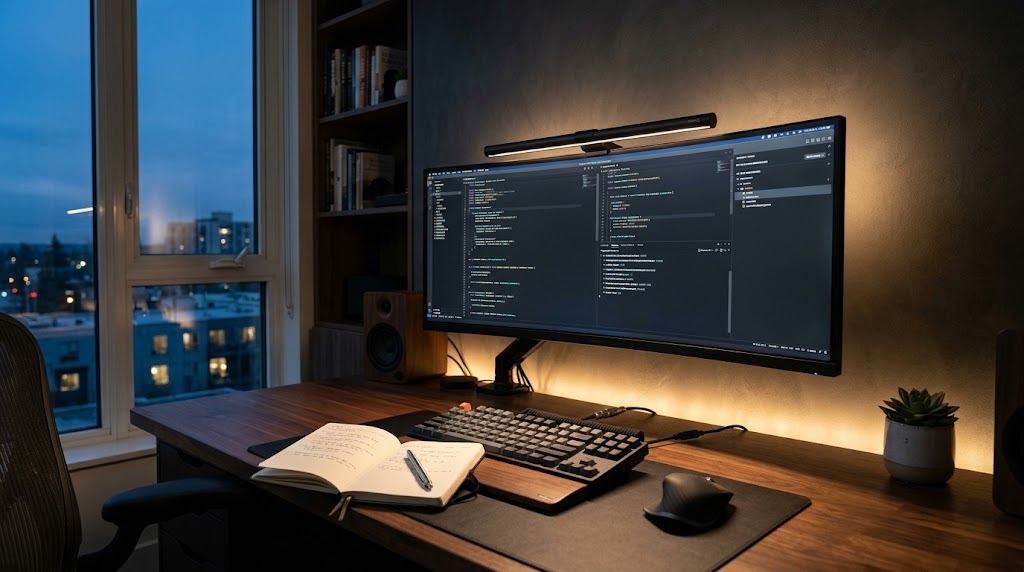
Your brain doesn't get exhausted from work volume, but from the biological effort of processing it. The biggest enemy of your eyes isn't light, but excessive contrast. A bright screen in a dark room forces your pupils to dilate and contract thousands of times per hour, leading to chronic fatigue and lack of focus.
1. The 'Veiling Glare' Phenomenon
Many people use traditional arm lamps thinking they help, but they often create "veiling glare"—a white haze over the monitor glass that reduces the real contrast of the image. This subconsciously forces you to strain your eyes and lean your body forward, breaking your ergonomic posture.
2. The 'Golden Triangle' Levels
To achieve a high-performance environment, light must balance three strategic points:
Level 1: Task Lighting (Dynamic Focus)
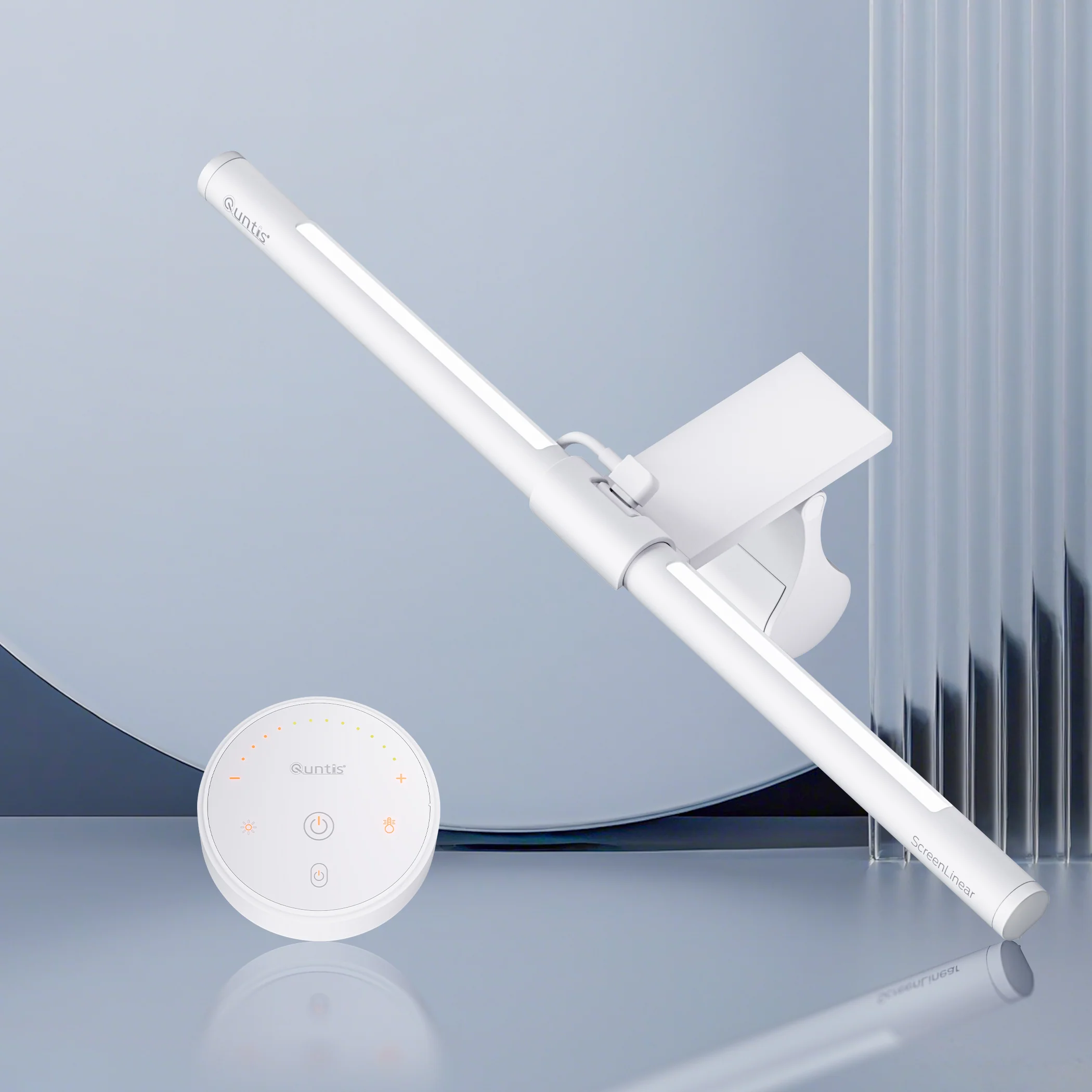
Task light should illuminate only your keyboard and notes without generating a single reflection on the panel. Monitor lamps (Screenbars) have won the technical battle by using asymmetric optics that "cut" the light beam before it hits the screen.
If you're interested in implementing this technical lighting system immediately, we recommend this model for its color accuracy and flicker-free performance:
Level 2: Bias Lighting
This is the light placed behind the monitor. Its function is to soften the visual transition between the bright screen and the dark background wall. This instantly relaxes the eye's ciliary muscle. When installing LED strips, aesthetics are vital; therefore, it is essential that you learn how to blend LED wiring with the invisible routing technique.
Level 3: Soft Ambient Light
Avoid harsh shadows in the corners of your room. Indirect ambient light helps your space not feel like a "cave," reducing cortisol levels and improving your cognitive productivity.
3. CRI and Temperature: The Biological Clock
LED quality defines your mood. The Color Rendering Index (CRI) should be above 90 for natural colors. Meanwhile, Kelvin temperature regulates your energy:
- 5000K (Cool White): Simulates midday. Use it for tasks requiring maximum detail and alertness.
- 3000K (Warm Light): Simulates sunset. It's non-negotiable for the last hours of the day to protect melatonin production and prepare for deep rest.
Technical Comparison of Systems
| System | Glare Control | Visual Health Impact | Space Required |
|---|---|---|---|
| Screenbar Pro | Excellent (Asymmetric) | Maximum (Zero fatigue) | Zero (On monitor) |
| Classic Desk Lamp | Poor (Creates glare) | Medium (Causes shadows) | High (On desk) |
| Bias LED Strip | N/A | High (Relaxes iris) | Zero (Behind monitor) |
1-Minute Audit Checklist
Do this quick test at your desk right now:
- Can you see the reflection of a bulb or window on your screen when it's off? (If yes, you have glare).
- Does the monitor feel too "bright" when the room is dark? (You need bias lighting).
- Do your hands cast dark shadows on the keyboard when typing? (Your main light is poorly positioned).
TecnoBrújula Verdict
Don't underestimate the impact of a well-directed photon. If budget is tight, prioritize bias lighting (cheap and effective), then invest in a quality monitor lamp. It's the fastest way to double your focus hours without ending the day with red eyes.