Introduction: Digital Workspace Surface and Cognitive Load
In modern work architecture, the concept of digital workspace isn't just about desk size, but about the amount of useful information the human eye can process without mental interruption. Cognitive ergonomics shows that every window rotation via Alt+Tab imposes a micro-cost of refocusing that fragments working memory.
Dual Setup Analysis (2x 27"): Absolute Compartmentalization
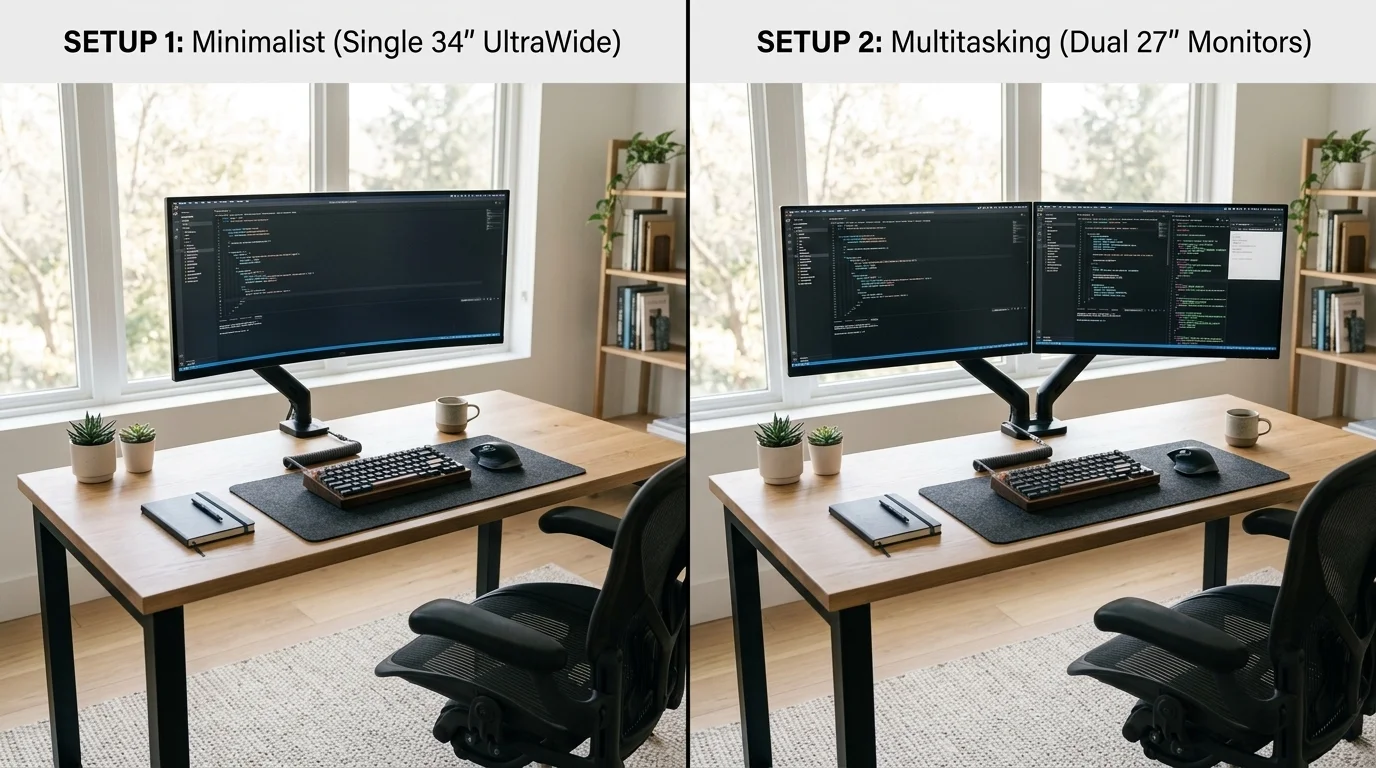
The scheme based on two individual 27-inch monitors remains the industry standard when absolute compartmentalization is the priority. Having two separate physical panels creates a clear mental boundary: one monitor for core execution and the second as a reference center.
Ergonomic Downside: Community audit reveals a recurring flaw: the "bezel gap." Placing the monitor junction directly in front of the user causes cervical micro-trauma from constant head turning. To mitigate this, we recommend a high-precision dual monitor arm.
UltraWide Monitor Analysis (34"+): Continuous Visual Flow
The UltraWide format replaces the visual fissure with a continuous space. Combining a 34-inch screen with proper curvature (1500R-1800R) maintains constant focal distance, eliminating ocular accommodation effort.
Critical Data: A common mistake is opting for WFHD resolution. To guarantee typographic sharpness, the mandatory technical standard is UWQHD (3440x1440px), providing ~110 PPI, similar to a 27" QHD monitor.
Technical Breaking Point: GPU and Cables
- GPU Performance: A 34" UWQHD UltraWide demands 33% less graphics load than a dual QHD setup, ensuring fluidity even on laptops with integrated graphics.
- Single Cable Rule: UltraWides dominate via USB-C with Power Delivery. A single cable transmits video and charges the computer, while dual setups often require an external professional connectivity hub.
Comparison Table: Dual Setup vs. UltraWide
| Technical Criteria | Dual Setup (2x 27") | UltraWide Monitor (34") |
|---|---|---|
| Useful Space | Higher total raw area. | Continuous area without cuts. |
| Flexibility | High (Vertical mode possible). | Moderate (Linear). |
| Cable Management | Complex (Dual connection). | Excellent (Single Cable). |
| Ergonomics | Cervical strain risk. | Immersion and visual health. |
TecnoBrújula Verdict
For the vast majority of professionals, the smartest investment in 2026 is the 34" UWQHD UltraWide Monitor. It offers superior visual ergonomics, simplifies the desk, and reduces system load. It is the definitive standard for high-performance productivity.